
How an odoo development company Can Replace 5 Disconnected Business
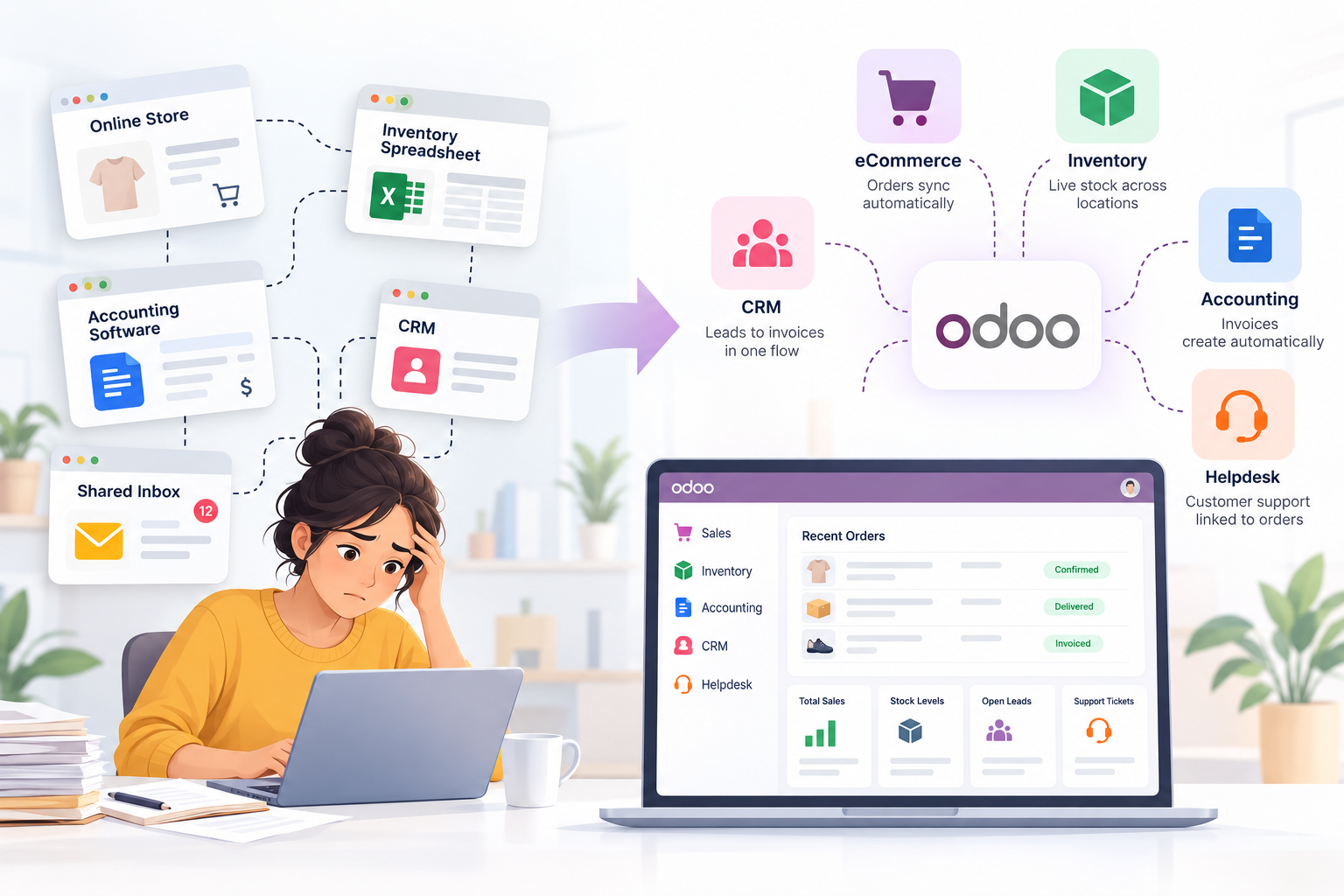
Ask a small online retailer how an order gets from checkout to an invoice and there’s usually a pause. Then a list. The shop runs on one platform. Stock sits in a spreadsheet, and one person (call her Priya) updates it before anyone else is online. Invoices come from an accounting package. Leads go into a CRM that half the team ignores. Customer emails pile up in a shared inbox. Five tools, five logins, and what connects them is mostly people.
So an order arrives and gets typed in a second time. The stock count gets nudged by hand. Later somebody raises the invoice. A few hundred orders a month of that and the retyping becomes a job in its own right.
Where Disconnected Tools Actually Hurt
The subscriptions aren’t what hurts. The gaps are. The shop shows 12 in stock, the sheet says 9, and guess who spots it first. The customer. At month end somebody exports three CSVs and matches them by eye.
Most owners know all this. Fewer know how much of it one system could remove.
What an Odoo Development Company Does Differently
Here’s what makes Odoo different: one database sits under every app. Someone buys on the website, and the customer record, the stock reservation and a draft invoice show up together. The apps share tables, so there’s nothing to export and nothing to import again.
Two editions exist. The community is free and open source. Enterprise charges per user and adds Studio, multi-company and the barcode app, among other things. Pricing guides can’t agree on the numbers (I found different figures for the same plan), so the odoo.com pricing page is the one to trust.
Now the bit that doesn’t make the brochure. Installing Odoo is a weekend. An Odoo development company gets paid for the weeks around it: sitting with the people who actually pick, pack and invoice, discovering that the “standard” process has four exceptions, and deciding which of those deserve code. Then the old data. Projects tend to go wrong there, in go-live week, when somebody finally opens the customer list and finds, say, 600 duplicates.
1. The Storefront and Odoo eCommerce Integration
Odoo ships its own shop. Version 18 reworked it with a new builder, better search and filters, and stock that can be shared across locations, so a shop built inside Odoo drops orders straight into sales and inventory. No middle step.
Plenty of businesses already run Shopify or WooCommerce, though, and ripping that out is a hard sell. Fine. Odoo eCommerce Integration in that case means a connector that moves orders, customers and stock between the two. Sounds mechanical. It isn’t. Refunds, split shipments and product variants are where connectors disagree, and where most of the debugging hours go.
2. The Stock Spreadsheet
Everybody loves the spreadsheet. Its owner loves it most. Odoo’s inventory app does live stock, multiple warehouses, barcode scanning and automatic reorder rules, which covers a lot. The harder part is the argument beforehand about what counts as a “location” and who’s allowed to move stock. Worth having anyway.
3. The Accounting Package
Owners worry about this one, and they’re right to. A delivered order in Odoo turns into a posted invoice without an import. But tax setup and bank connections vary by country, and the sources I read didn’t agree on what comes built in for some of them. A decent Odoo development company will say straight out which parts work in your market and which need a paid add-on. Vague answers here are a bad sign.
4. The CRM Nobody Trusts
A CRM that disagrees with the invoices gets ignored, and fair enough. Odoo links the lead, quote, order and invoice in a single chain, so the pipeline can’t drift far from what was really sold. People keep it current for a dull reason: it’s the screen they already quote from.
5. The Shared Inbox and Helpdesk
This one moves last, and sometimes it stays where it is. Odoo’s helpdesk links tickets to the customer and their orders. Better than a dedicated support tool? Depends on volume. At thirty tickets a day either is fine.
What Shouldn’t Move
Not everything needs replacing. A payment provider, a courier aggregator, a marketplace feed: these often stay, and Odoo plugs into them. Which makes Odoo eCommerce Integration with an outside storefront a perfectly reasonable place to stop.
Two details matter for those connections. Odoo’s docs say the external API is only open on Custom plans, not One App Free or Standard. XML-RPC and JSON-RPC have been deprecated since 19.0, with JSON-2 as the replacement, so new connectors should use that.
Getting Started
Storefront first, usually. It’s where orders begin and where mistakes show first. Odoo eCommerce Integration tends to be the opening workstream for that reason. BiztechCS, an Odoo Ready Partner, tends to start with the order flow and the data, then choose apps last. Slower to scope. Cheaper to fix.
The number worth watching afterwards is how many orders somebody still retypes.